
Prizrak3.20 - Get APK
You'll be able to download in few seconds.
Publisher Description

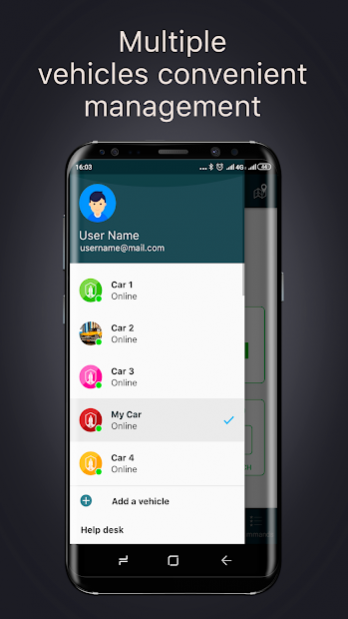
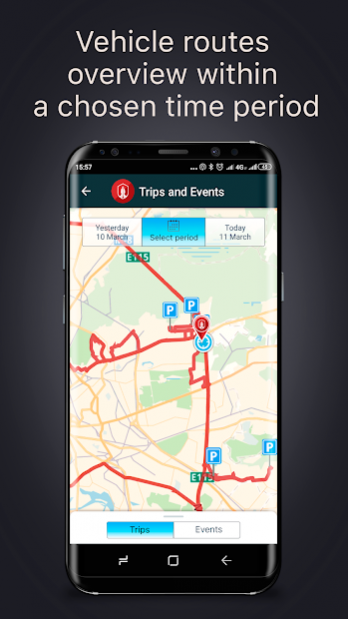

We are glad to introduce our new Prizrak mobile application version. The application allows the users of GSM-car alarms Prizrak 8-series and 800-series to control the alarm and receive notifications regarding the vehicle’s state, to monitor various parameters and adjust the alarm settings.
We have completely modified the application. The mobile application has become more reliable, more quicker and more convenient.
Prizrak mobile application is:
• Control over security states;
• Remote and automatic engine start as well as factory or aftermarket engine heater control;
• Vehicle state online monitoring;
• Vehicle location monitoring;
• Convenient alarm settings adjustment;
• Possibility to remotely immobilize a vehicle by activating the engine locking;
• Vehicle trips tracking (if the alarm is equipped with GPS/Glonass module);
• PUSH-notifications when GSM/GPRS connection with the alarm is lost.
Attention! The list of features given above will be available if only Prizrak car alarm is provided with Internet access. It is recommended to make sure that there are no restrictions for mobile data transmission that may be set by a mobile service provider before installing a SIM-card into Prizrak car alarm.
About Prizrak
The company that develops Prizrak is 'TEC electronics' Ltd. The latest version released by its developer is 3.20.
To install Prizrak on your Android device, just click the green Continue To App button above to start the installation process. The app is listed on our website since 2022-03-15 and was downloaded 0 times. We have already checked if the download link is safe, however for your own protection we recommend that you scan the downloaded app with your antivirus. Your antivirus may detect the Prizrak as malware as malware if the download link to ru.moslight.ghost is broken.
How to install Prizrak on your Android device:
- Click on the Continue To App button on our website. This will redirect you to Google Play.
- Once the Prizrak is shown in the Google Play listing of your Android device, you can start its download and installation. Tap on the Install button located below the search bar and to the right of the app icon.
- A pop-up window with the permissions required by Prizrak will be shown. Click on Accept to continue the process.
- Prizrak will be downloaded onto your device, displaying a progress. Once the download completes, the installation will start and you'll get a notification after the installation is finished.
Program Details
System requirements
Download information
Pricing
Version History
version 3.20
posted on 2022-03-15
- changed the way to notify about the loss of communication with the car;
- fixed minor bugs and improved the overall stability of the application.
version 3.19
posted on 2021-04-13
- minor bugs fixed and overall stability of the application improved
version 3.12
posted on 2019-08-14
- Minor improvements to improve application stability
- Fixed a bug related to time zones
version 2.41
posted on 2017-12-11
Added Prizrak-8XL support
version 2.25
posted on 2016-04-14
- add ability to request the position coordinates via LBS
Disclaimer
External Download
We do not host Prizrak on our servers. We did not scan it for viruses, adware, spyware or other type of malware. This app is hosted by Galad and passed their terms and conditions to be listed there. We recommend caution when installing it.
The APK Download link for Prizrak is provided to you by apps112.com without any warranties, representations or guarantees of any kind, so access it at your own risk.
If you have questions regarding this particular app contact the publisher directly. For questions about the functionalities of apps112.com contact us.
